

Laminator
Protecting printed materials is often a practical requirement in offices, schools, copy centers, and administrative environments where documents need to stay clean, rigid, and easy to handle. A Laminator helps extend the life of IDs, notices, certificates, photos, signage, and frequently used reference sheets by sealing them in protective film for better durability and presentation.
On this category page, buyers can explore laminating equipment suited to different paper sizes, pouch thickness ranges, and operating needs. Whether the priority is occasional A4 use, regular A3 laminating, or faster throughput for everyday office tasks, the available range makes it easier to compare format, speed, warm-up time, and hot or cold lamination capability.
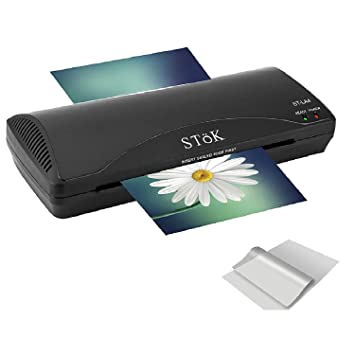
Where laminators are commonly used
Laminating machines are used wherever printed output needs added protection from moisture, dirt, fingerprints, bending, or repeated handling. In day-to-day office work, this can include instruction sheets, labels, display notices, and internal process documents. In education and service environments, lamination is also useful for teaching aids, menus, badges, schedules, and information cards.
Compared with unprotected paper, laminated materials are easier to wipe clean and generally hold their shape better over time. For organizations that also manage document finishing and handling workflows, related equipment such as banding machines may be relevant when bundling printed sets or packaged materials.
Hot and cold lamination options
One of the first points to consider is whether the machine supports hot lamination only or both hot and cold modes. Hot lamination is common for standard office use because it creates a firm seal through heated rollers and is suitable for many document protection tasks. Cold lamination can be useful when working with heat-sensitive materials or when the application requires pressure-based film rather than thermal activation.
Several models in this category support both hot and cold lamination, giving users more flexibility across different media types. For example, the DSB 330-ARP Laminator, DSB 330-LCD Laminator, and DSB Super 335 Laminator are positioned for users who need broader operating options instead of basic hot-only lamination.
Choosing by paper size and document format
Paper width is a key selection factor because it directly affects the range of documents a laminator can process. A4-capable units are often suitable for general office paperwork, certificates, and standard notices, while A3 machines are more practical for larger displays, posters, diagrams, schedules, and presentation materials.
For A4 applications, models such as the DSB FL-806 Laminator, DSB Super 236 Laminator, and DSB HQ-403 Laminator (324 mm/min) fit common document handling needs. If A3 processing is required, options including the DSB FL-906 Laminator, DSB 330-LCD Laminator, DSB Super 336 Laminator, and DSB SO-GOOD 330 SUPER Laminator offer a wider entrance suitable for larger sheets and visual materials.
What performance factors matter in daily use
Beyond format size, buyers usually compare warm-up time, laminating speed, roller configuration, and supported film thickness. Faster warm-up can be helpful in offices where the machine is used intermittently throughout the day, while higher laminating speed is more relevant for teams handling repeated batches of documents. Roller quantity also matters because it influences how smoothly film and paper pass through the machine.
Within this range, some compact units emphasize quick readiness, such as the DSB FL-906 Laminator and DSB FL-806 Laminator with a stated 1-minute warm-up time. For users focused on throughput, the DSB Super 335 Laminator stands out with a higher laminating speed than many standard office models. Where more visibility and control are preferred, the DSB 330-LCD Laminator adds an LCD display and supports a wider pouch thickness range.
Film thickness and material compatibility
Another important consideration is the supported pouch thickness or laminating range. Lighter films are often enough for basic document protection, while thicker pouches can provide a more rigid finish for cards, signs, and frequently handled materials. Buyers should match the machine’s supported micron range to the intended output rather than assuming all laminators handle the same media.
In this category, supported film ranges vary by model, from lighter office-oriented use up to broader ranges such as 75-250 micron on selected units. Machines like the DSB 330-ARP Laminator, DSB 330-LCD Laminator, DSB Super 335 Laminator, and DSB SO-GOOD 330 SUPER Laminator may be more suitable where users need flexibility across multiple pouch thicknesses instead of a narrower operating window.
Representative DSB laminator models in this category
This selection is strongly centered on DSB, with models covering compact A4 laminators through higher-capacity A3 units. That makes the category useful for buyers who want to stay within one brand ecosystem while comparing differences in speed, warm-up behavior, width, and hot/cold functionality.
Examples include the DSB HQ-403 Laminator for lighter A4 tasks, the DSB FL-906 Laminator for A3 hot lamination with quick start-up, and the DSB Super 335 Laminator for users who need faster A3 processing. The DSB SO-GOOD 230 SUPER Laminator and DSB SO-GOOD 330 SUPER Laminator also provide practical alternatives for standard office lamination across A4 and A3 formats.
How to select the right laminator for your workflow
A practical way to narrow the shortlist is to begin with document size, then review lamination mode, film thickness support, and expected usage frequency. For occasional office use, a compact A4 unit may be enough. For front-desk operations, administration departments, schools, or print-heavy environments, an A3 model with higher speed and broader pouch compatibility may be more efficient over time.
It is also useful to think about the surrounding office process. If laminated materials are part of a wider document handling workflow, teams may also review adjacent categories such as office supplies for daily consumables or currency binding machines where administrative equipment needs overlap in back-office settings.
Practical buying considerations for B2B users
For business and institutional procurement, the right choice is not only about machine size. It should also align with operator convenience, expected duty pattern, and the type of finished output required. Features such as quick warm-up, anti-jam-oriented design, multi-roller construction, and support for both hot and cold operation can improve usability in shared workspaces.
When comparing models on this page, focus on the combination of width, speed, and media compatibility that fits your actual workload. A well-matched document protection solution can improve presentation quality, reduce reprinting, and help printed materials stay serviceable longer in everyday use.
For teams sourcing office finishing equipment, this laminator category provides a clear starting point for comparing A4 and A3 models, standard and higher-speed operation, and different film support ranges. Reviewing these factors carefully will make it easier to choose a machine that suits your document volume, output format, and daily operating environment.
-
-
-
-
-
-
-
-
-
-
-
-
-
-
-
-
-
-
-
-
-
-
-
-